For evaluation of underwriter's performance in the insurance company. I worked on the dashboard in team with developers, managers and seniour underwriters.
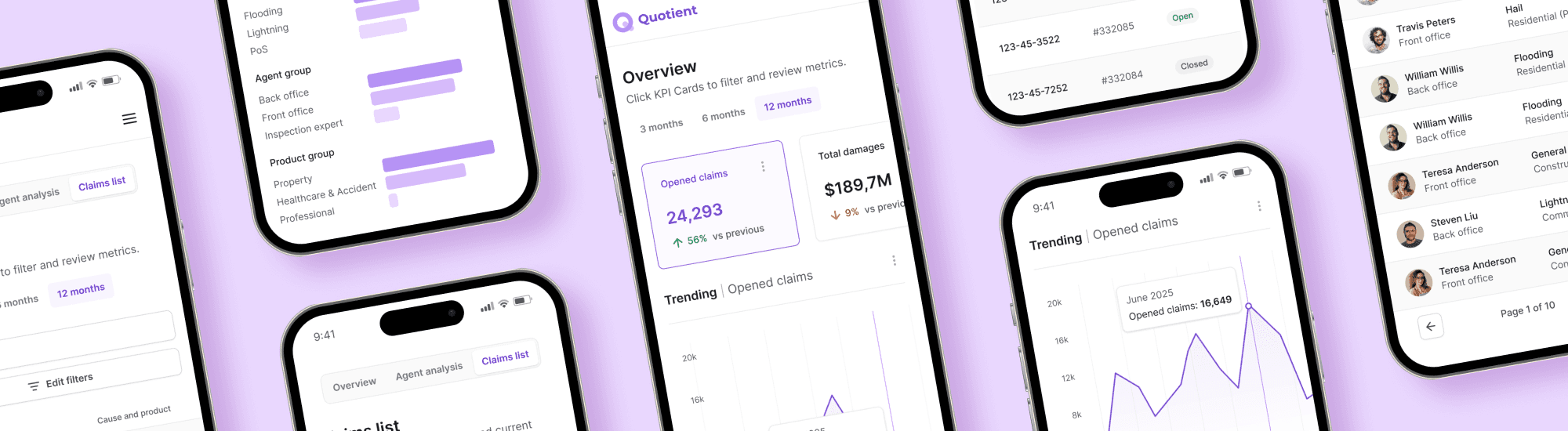
In this case study, you’ll see how this dashboard was shaped — from discovery and brainstorming to testing and high-fidelity UI.

In this flow they want to:
① Evaluate performance across colleagues underwriters.
② Make fair decisions regarding promotions, bonuses, and dismissals.
③ Help middle and junior underwriters with escalated claims.
④ Have solid arguments to explain decisions to leadership.

①
Interpreting data in complex Excel reports consumes most of the supervisors’ time.
②
As a result, supervisor has little time left to help fellow underwriters with escalated cases, often stepping in too late.
③
Supervisors sometimes argue with leadership when discussing underwriter performance, as they use different evaluation criteria.
Every 3 months, the whole department evaluates performance. Leadership decided that next time they wanted to approach this differently and initiated a plan to change the process. They secured the budget to create an MVP dashboard.
①
To find common ground on performance evaluation, to improve the atmosphere in team.
②
To free up time for supporting escalated cases by optimizing routine tasks.
③
To spot underwriters in need for mentorship before the tension escalates.
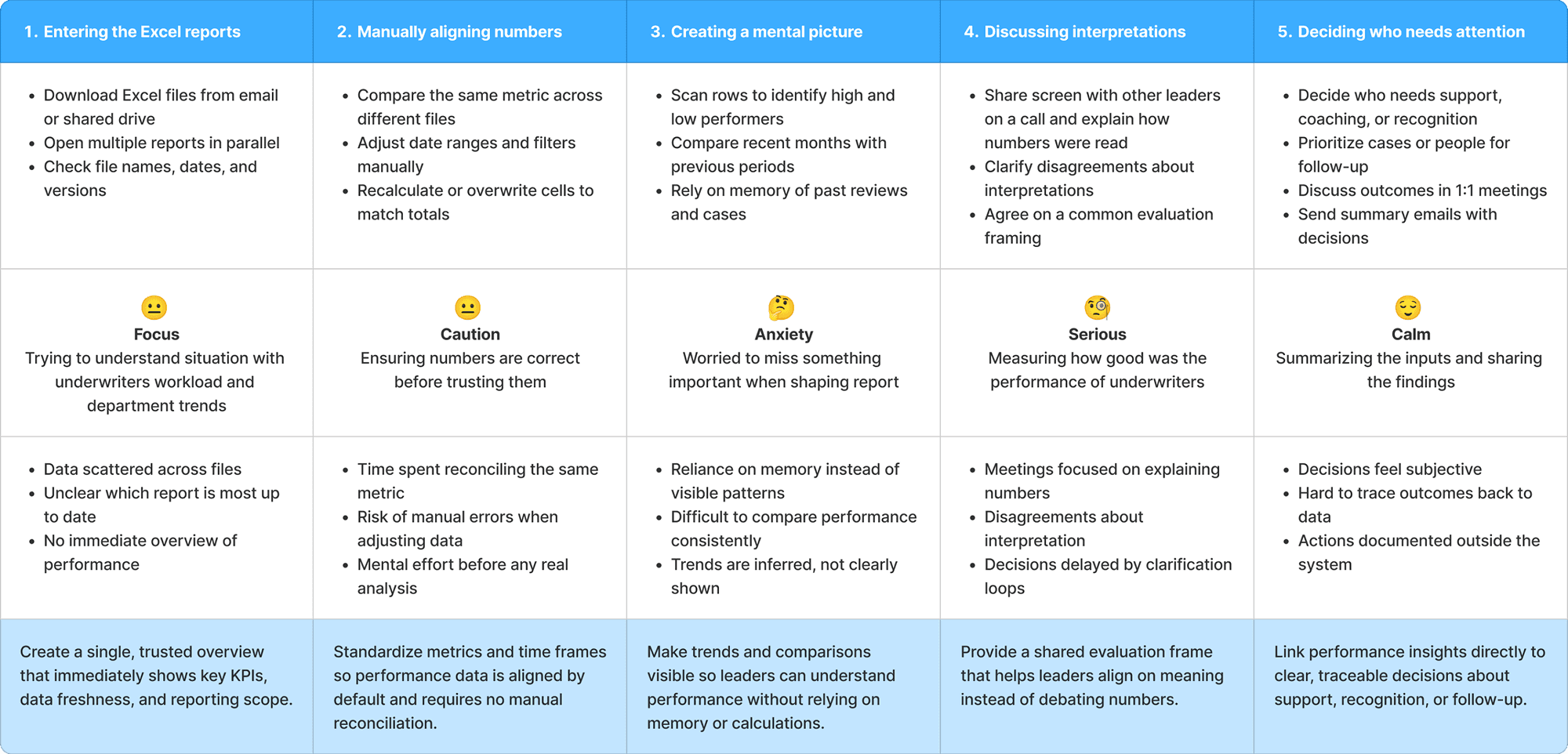
I facilitated a 2-hour online discovery workshop. Together with senior underwriters and a developer, we identified pain points, goals, and potential hurdles along user journey.
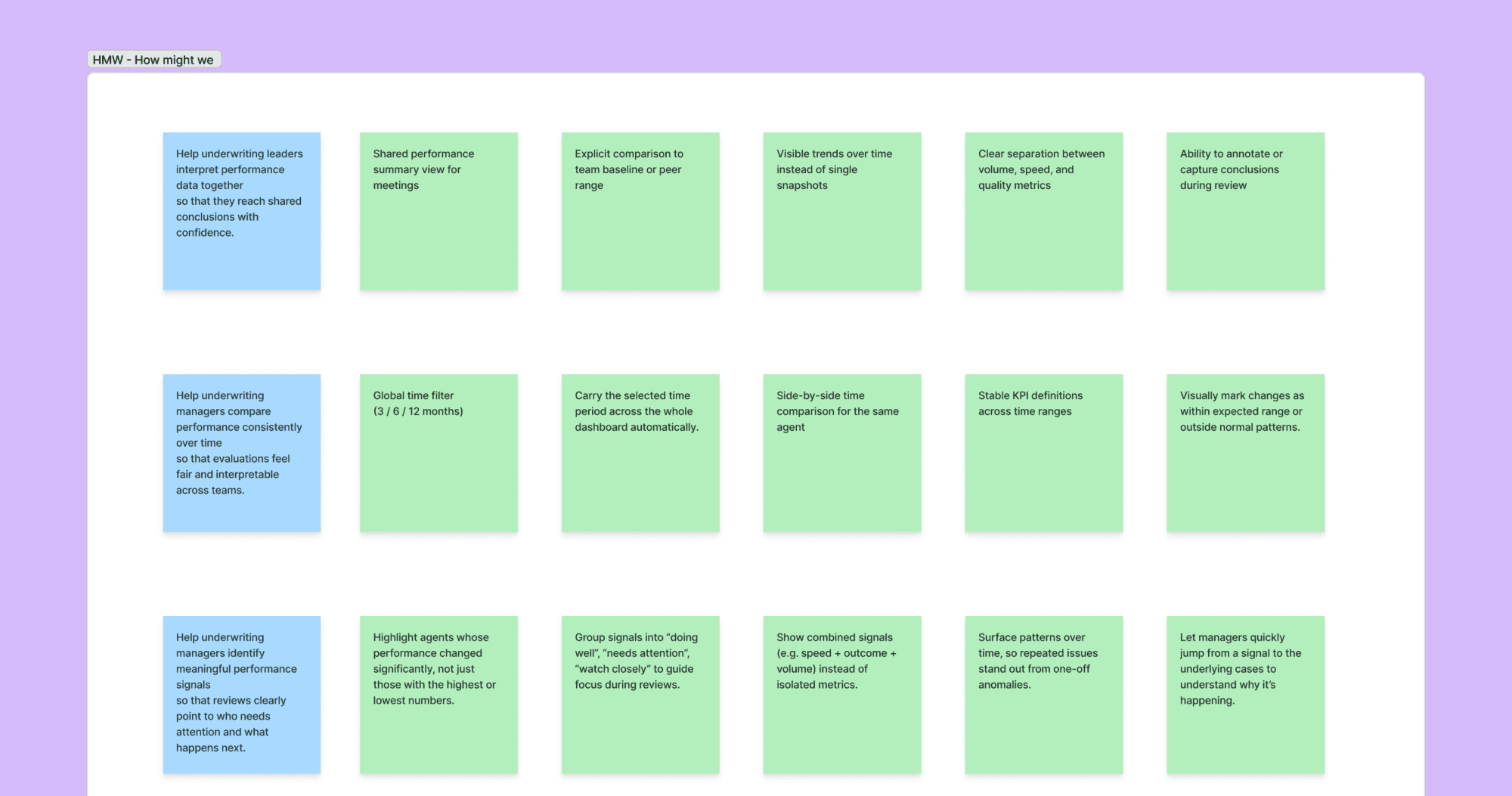
When problems were defined, we conducted brainstorming using “How might we” framework. It helped us to generated ideas for further evaluation.
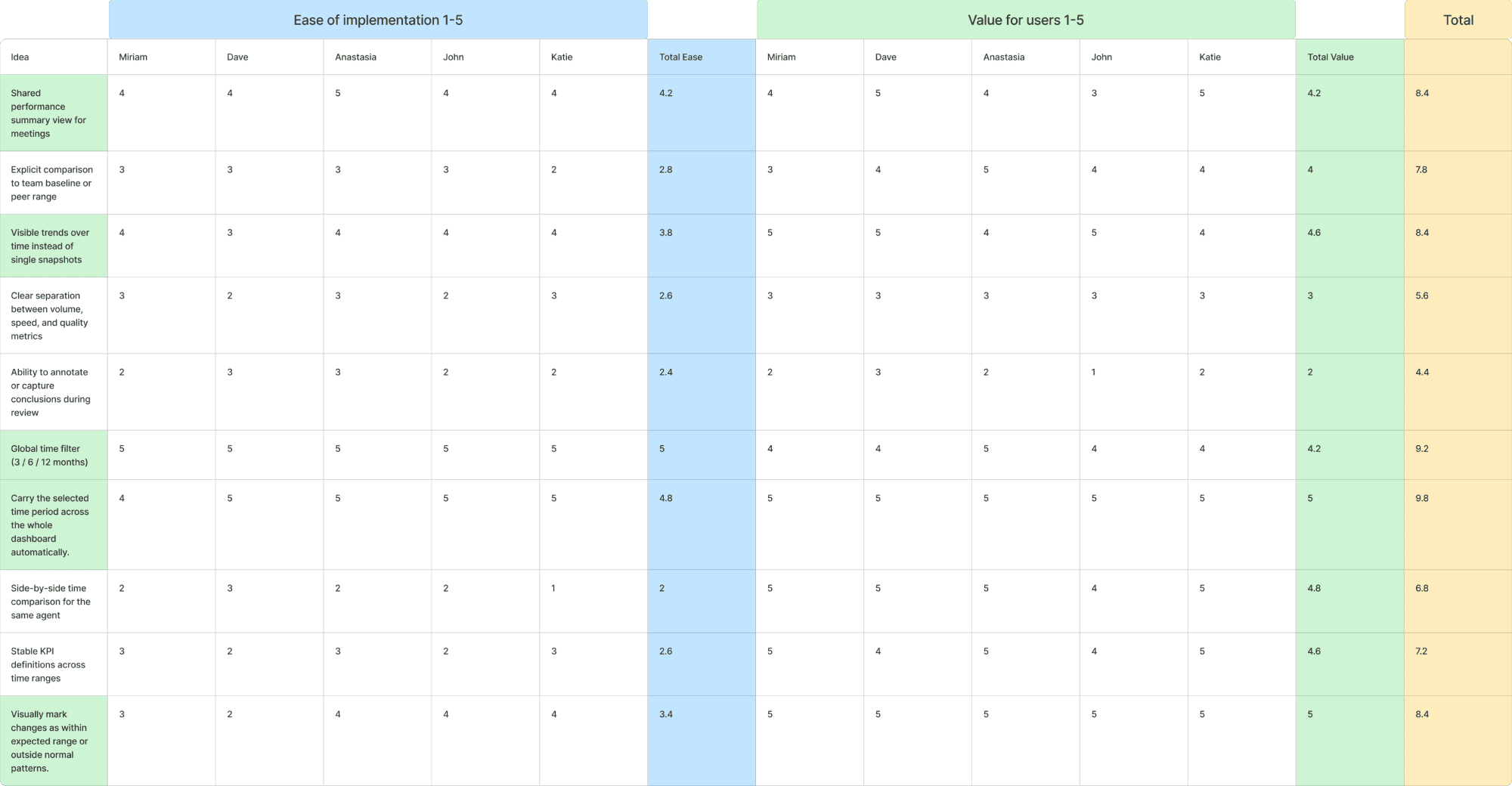
Then we mapped ideas into a two-factor analysis to identify which ones were worth implementing through team voting. We evaluated ease of implementation and user value on a five-point scale.
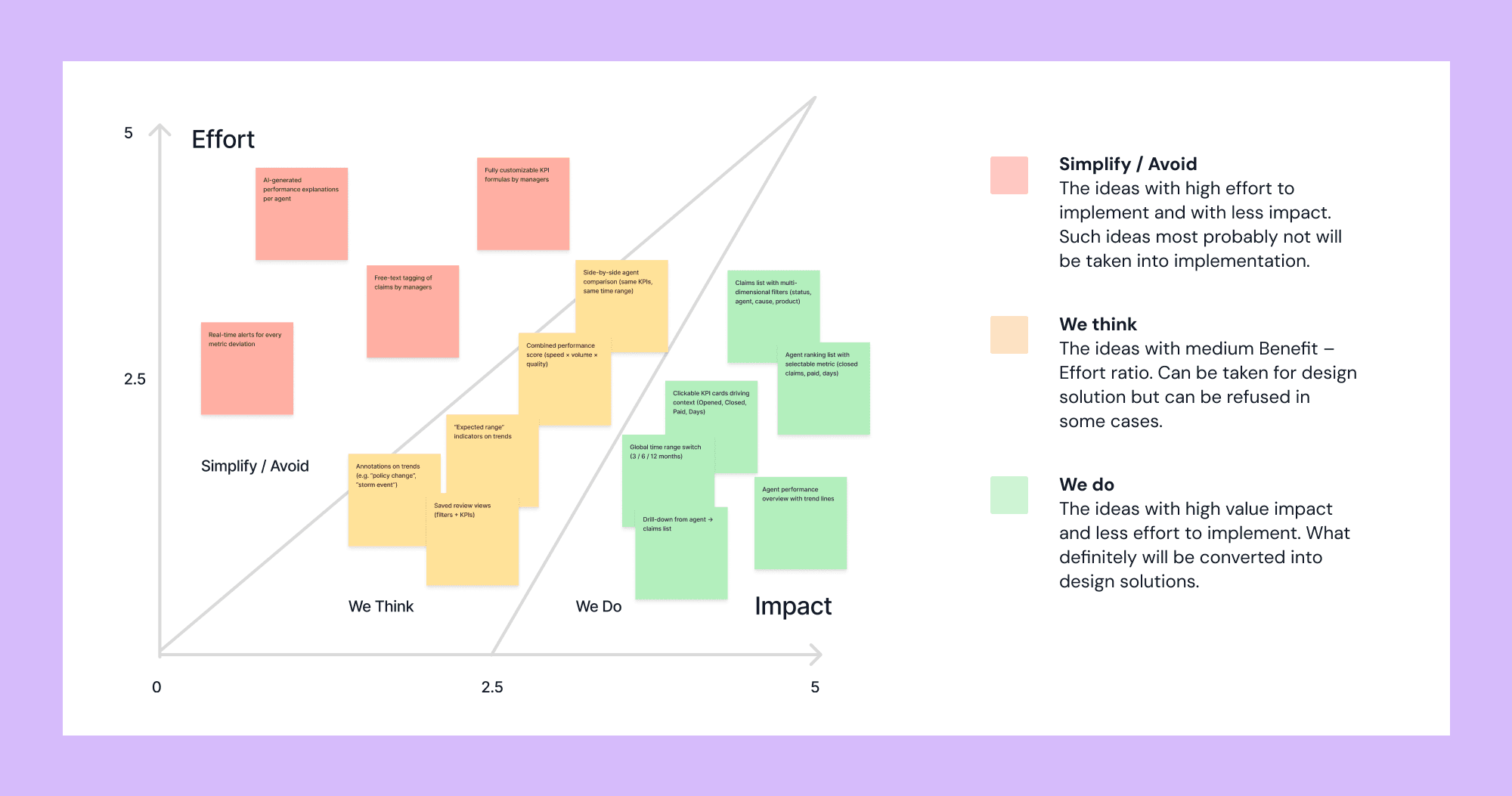
Prioritization was made using Impact/Effort mapping. Green ones went to production.
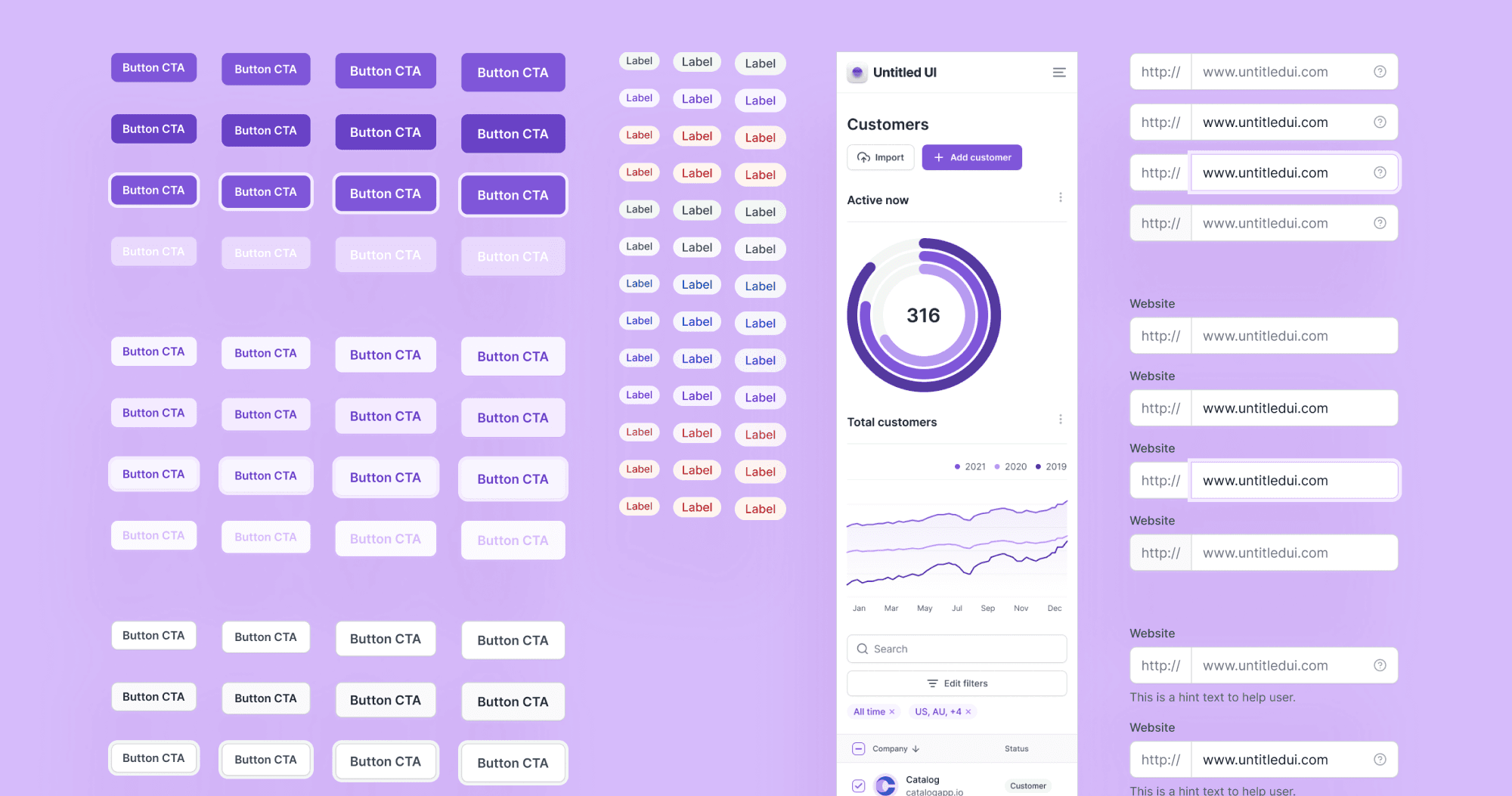
To maintain consistency across design and speed up the development process. Untitled UI has a very good collection of dashboard-specific elements and settings pages.
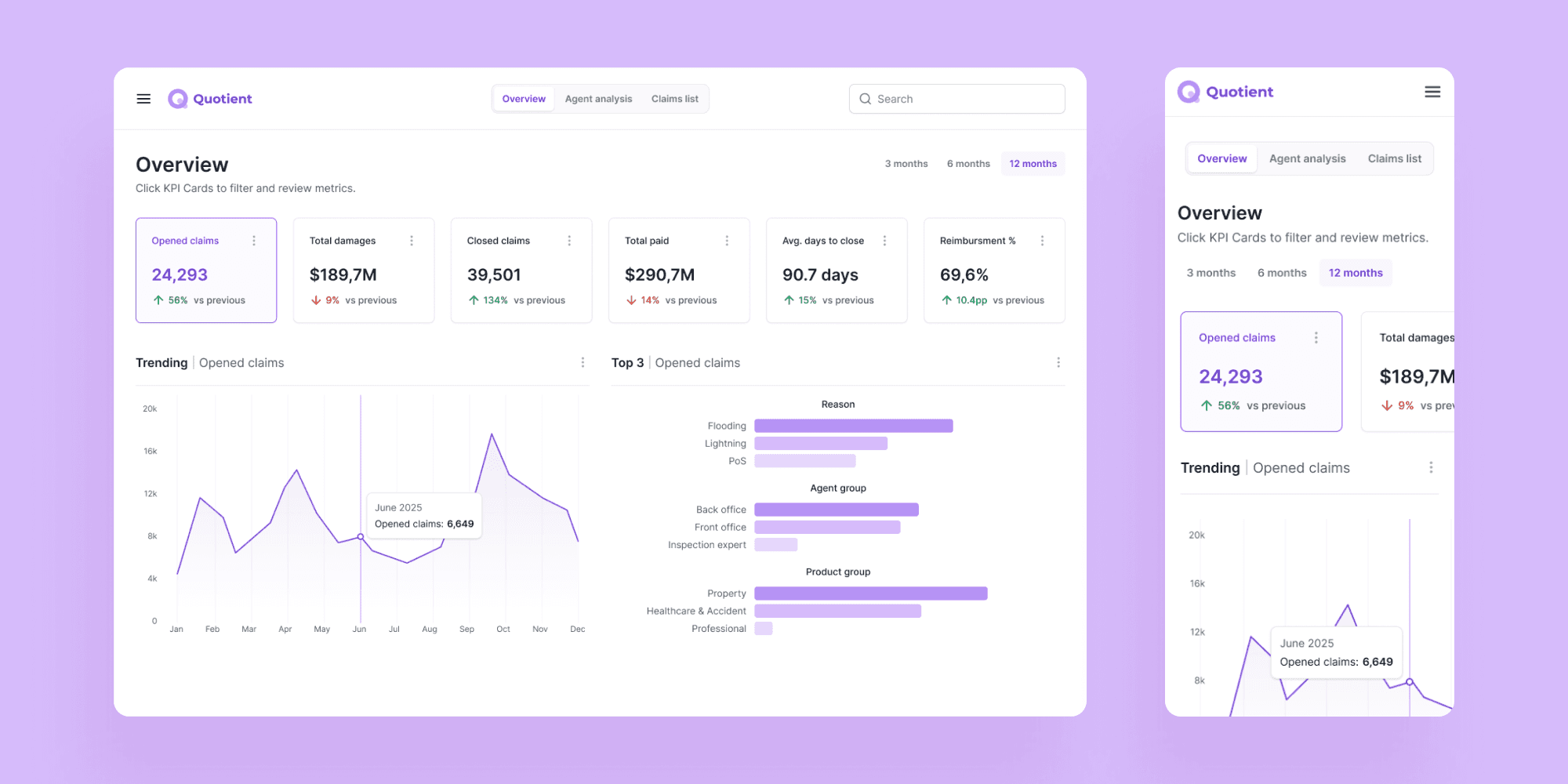
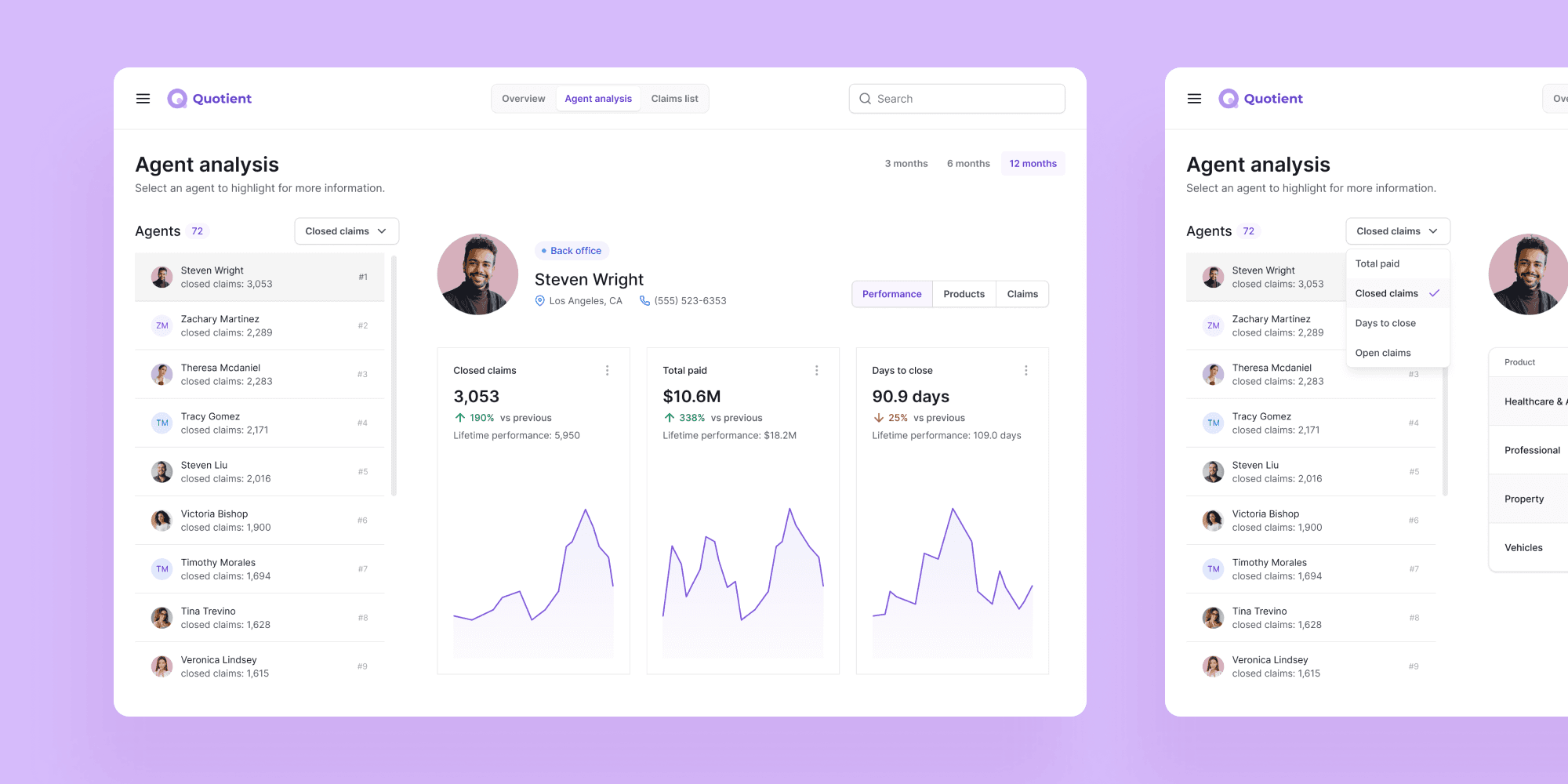
Key performance indicators are assembled in the overview to give management a clear picture of the overall state before moving to individual cases.
This helps management identify who is eligible for a bonus and who needs additional support.
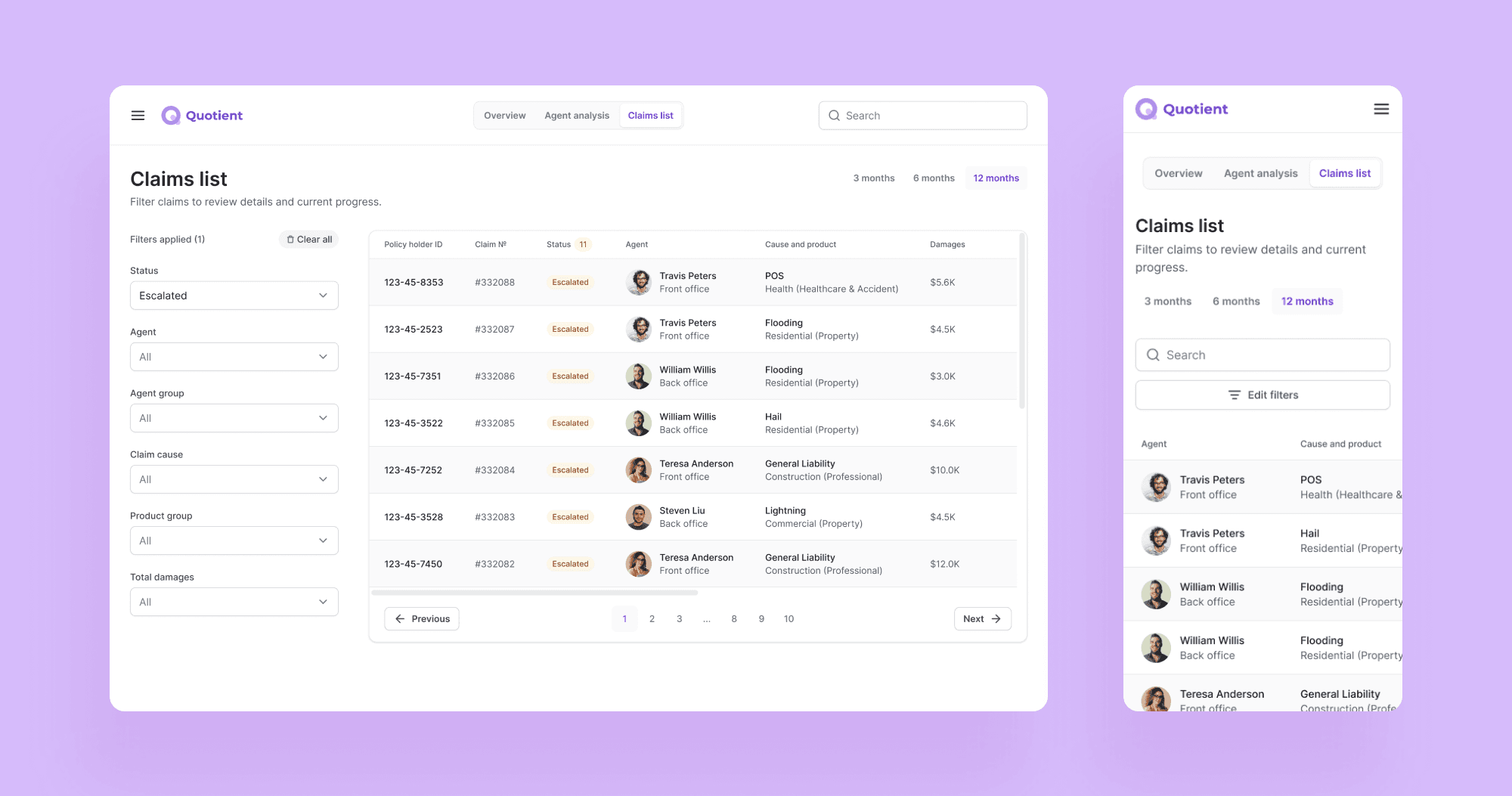
To make scanning for escalated cases and other specifics easier. When clicking on a row, the manager sees case details and all involved individuals.
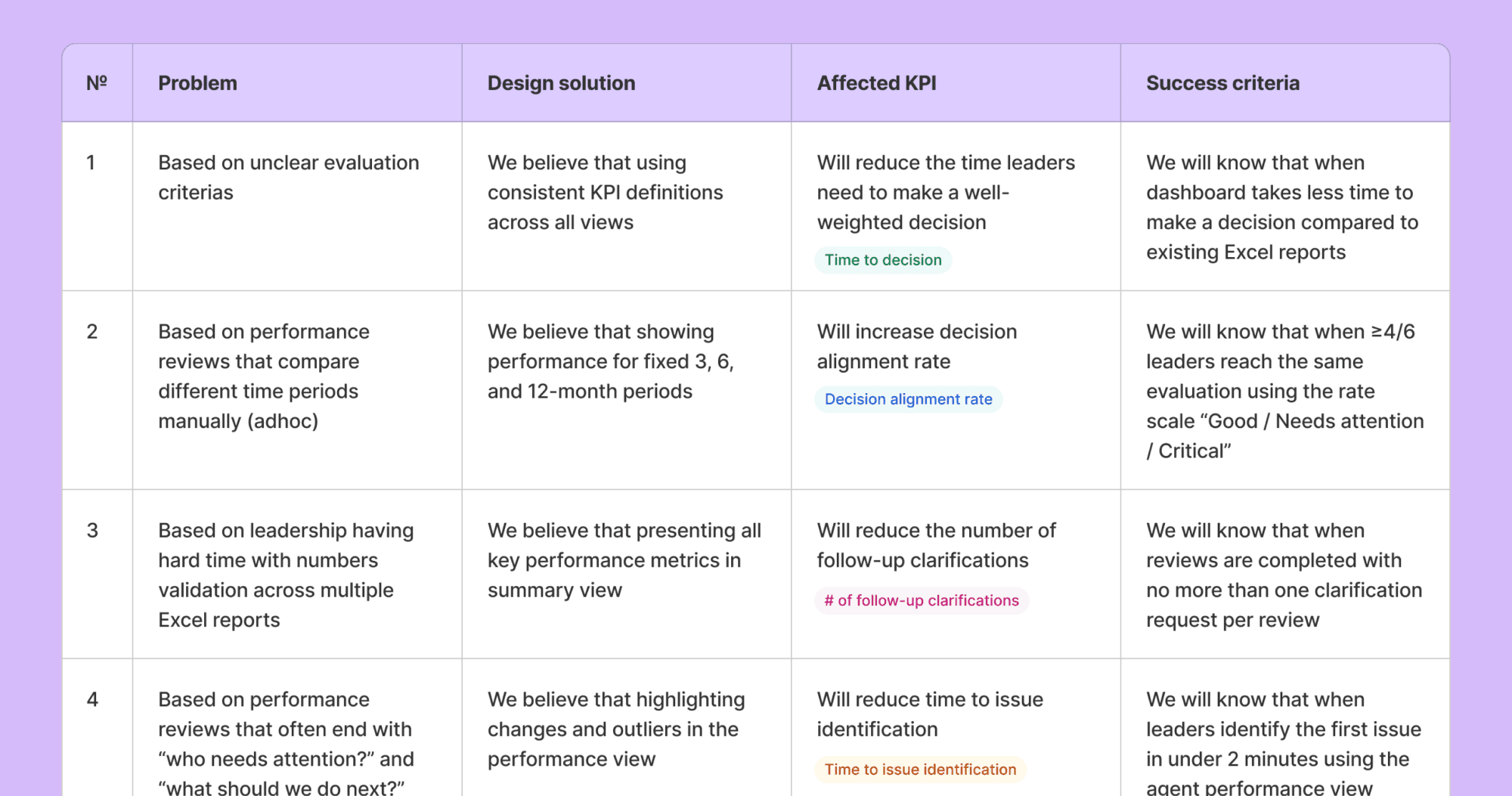
I conducted hallway testing in 1 on 1 calls, to test the hypotheses related to key KPI. Then created a Google Survey, to see how the work was done with Excel sheets, compared to the dashboard. I sent it to 24 people inside organization, using contacts shared with me.
This visualization took the most iteration. Early testing showed that users read it as a forecast, so I redesigned it to better communicate historical data.
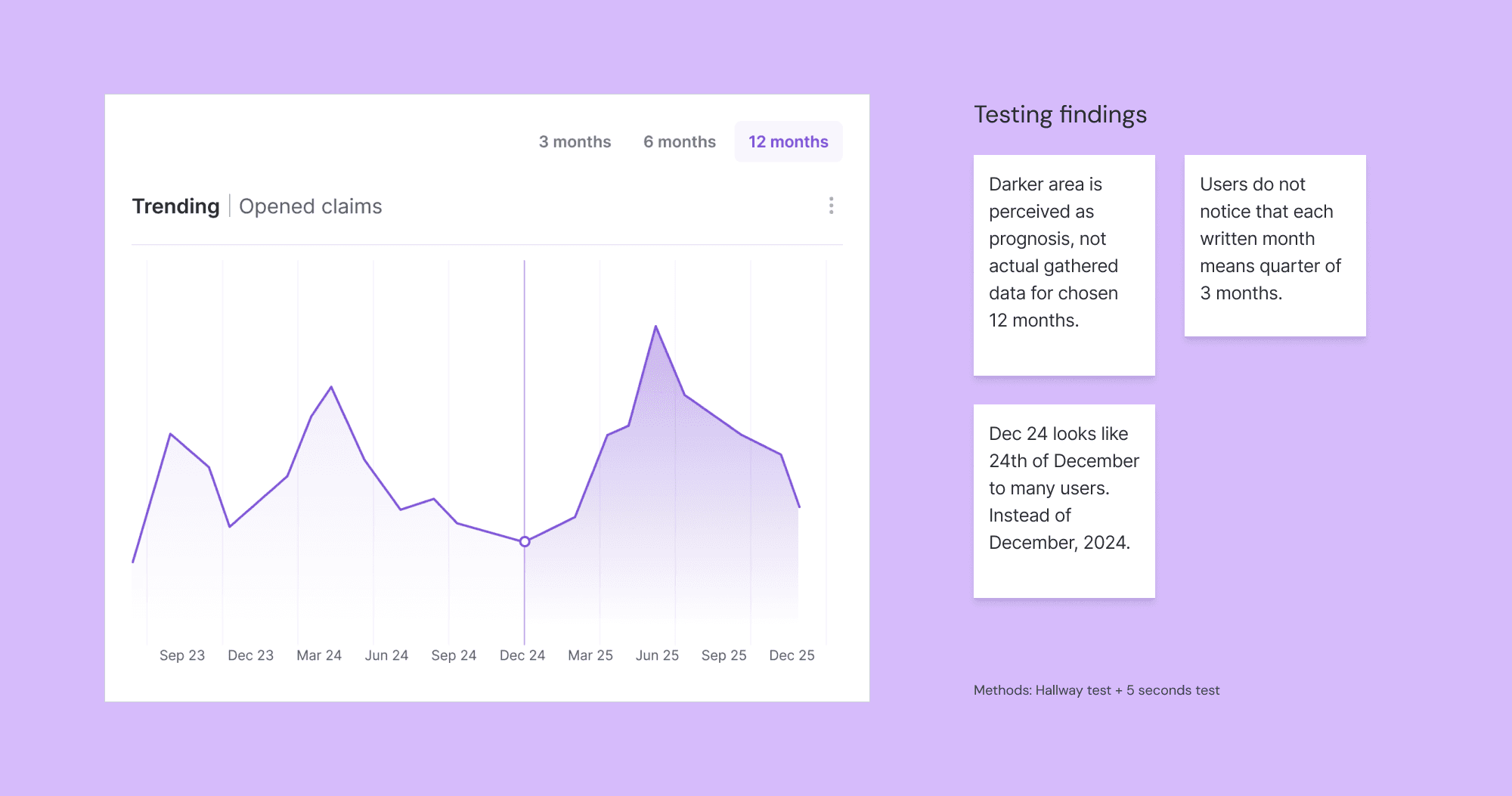
Second version did not work in 6 and 3 month view, if we compare latest with current. It only works if we compare the same 3 months this year and the previous.
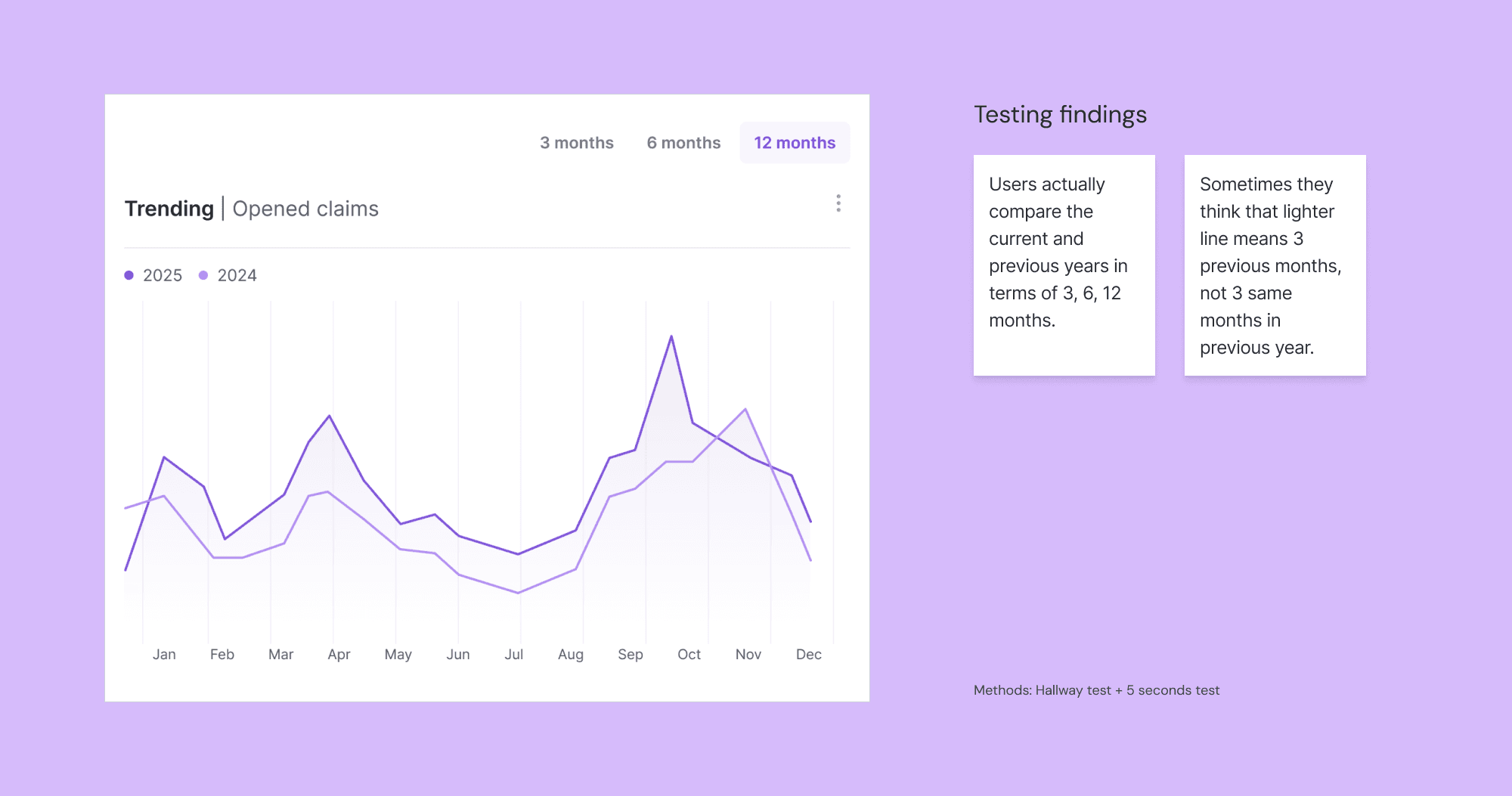
This version had proven to be safe from major misunderstandings.
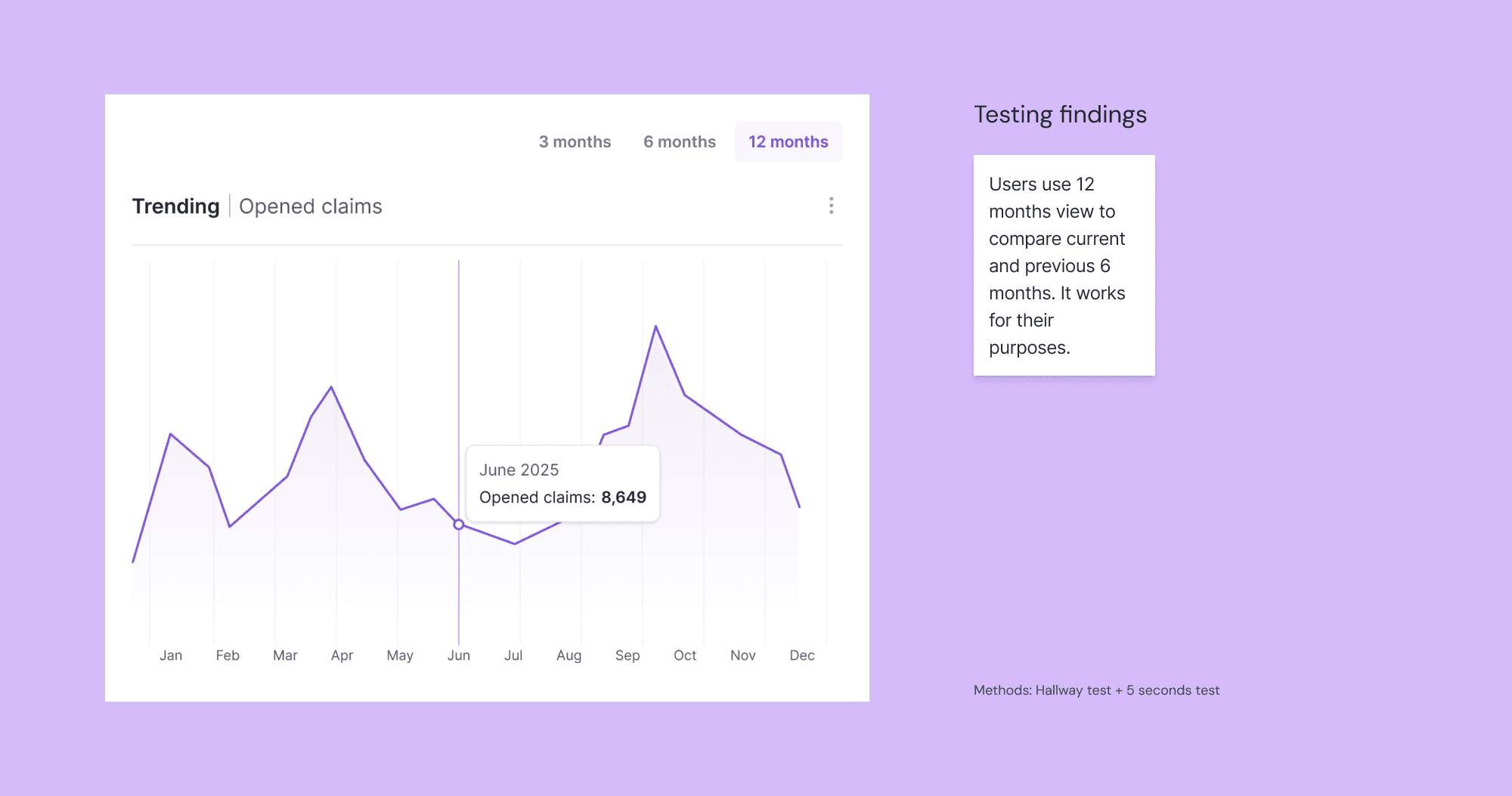
Use full-screen mode (upper right corner button) to see the whole dashboard.
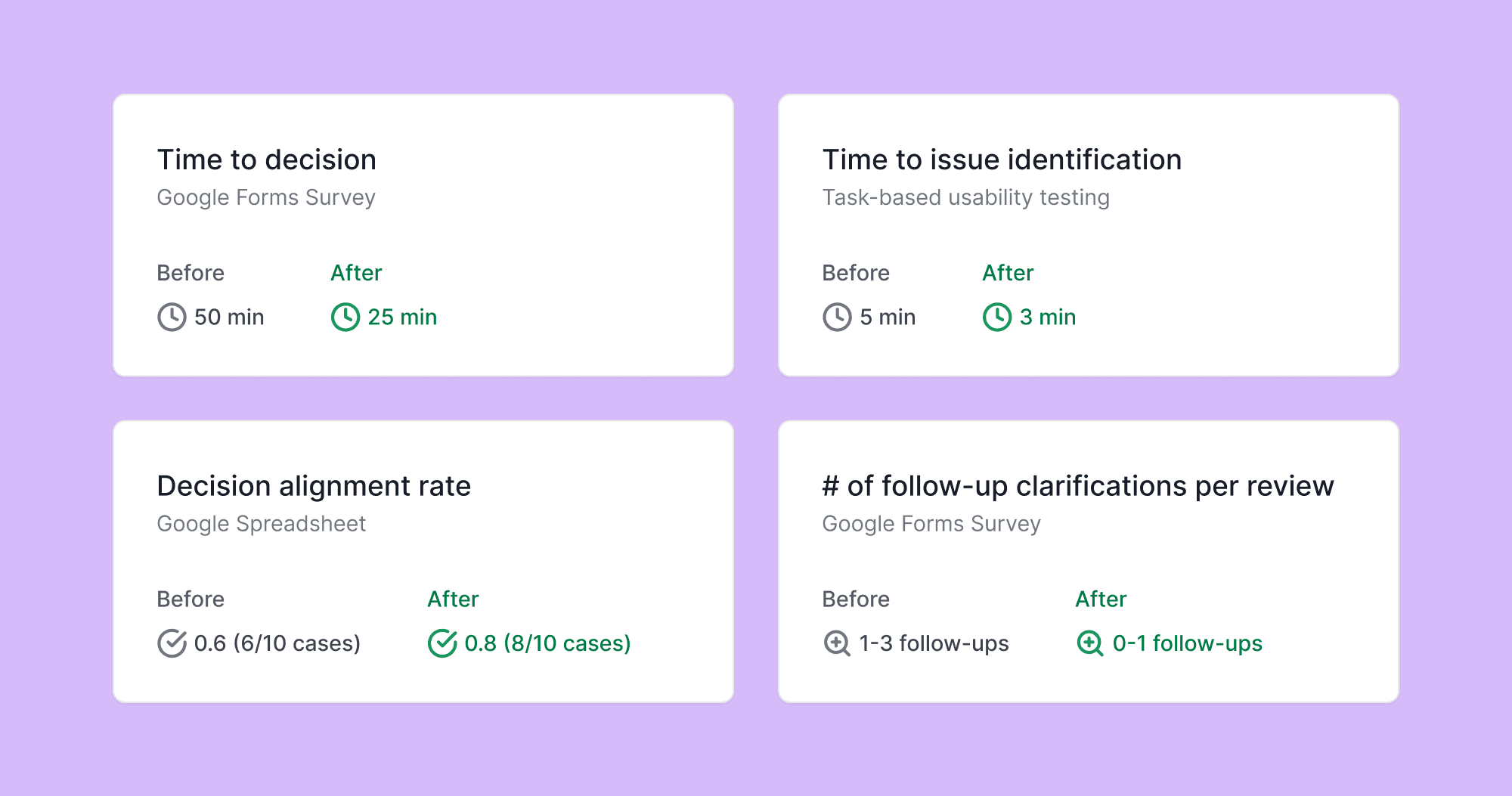
Consistent KPI definitions across all views, fixed evaluation periods, and agent ranking helped to reduce time needed to identify issues and number of follow-up clarifications per review.

Time needed to make a decision reduced from 50 min to 25 in average, compared to work exclusively with Excel reports.
Source: 24 user responses in Google Forms survey.
"Before" is for the system used before the dashboard.
Team
Underwriting leadership
Senior underwriters as domain experts
Developer for feasibility evaluation
UX/UI designer (me)
Responsibility
Translate leadership goals into measurable dashboard requirements
Align stakeholders through discovery, hypotheses, and prioritization
Define consistent KPIs and time comparisons
Design and iterate analysis-focused dashboard views
Deliver an implementation-ready concept
Duration
3 months
[other cases]